Use Skills for common tasks
If you already have a skillCode, just name it in a chat to invoke it. Not sure what a skillCode is? Read What is a Skill first.
Option 1: Quick-reference a Skill from the input box
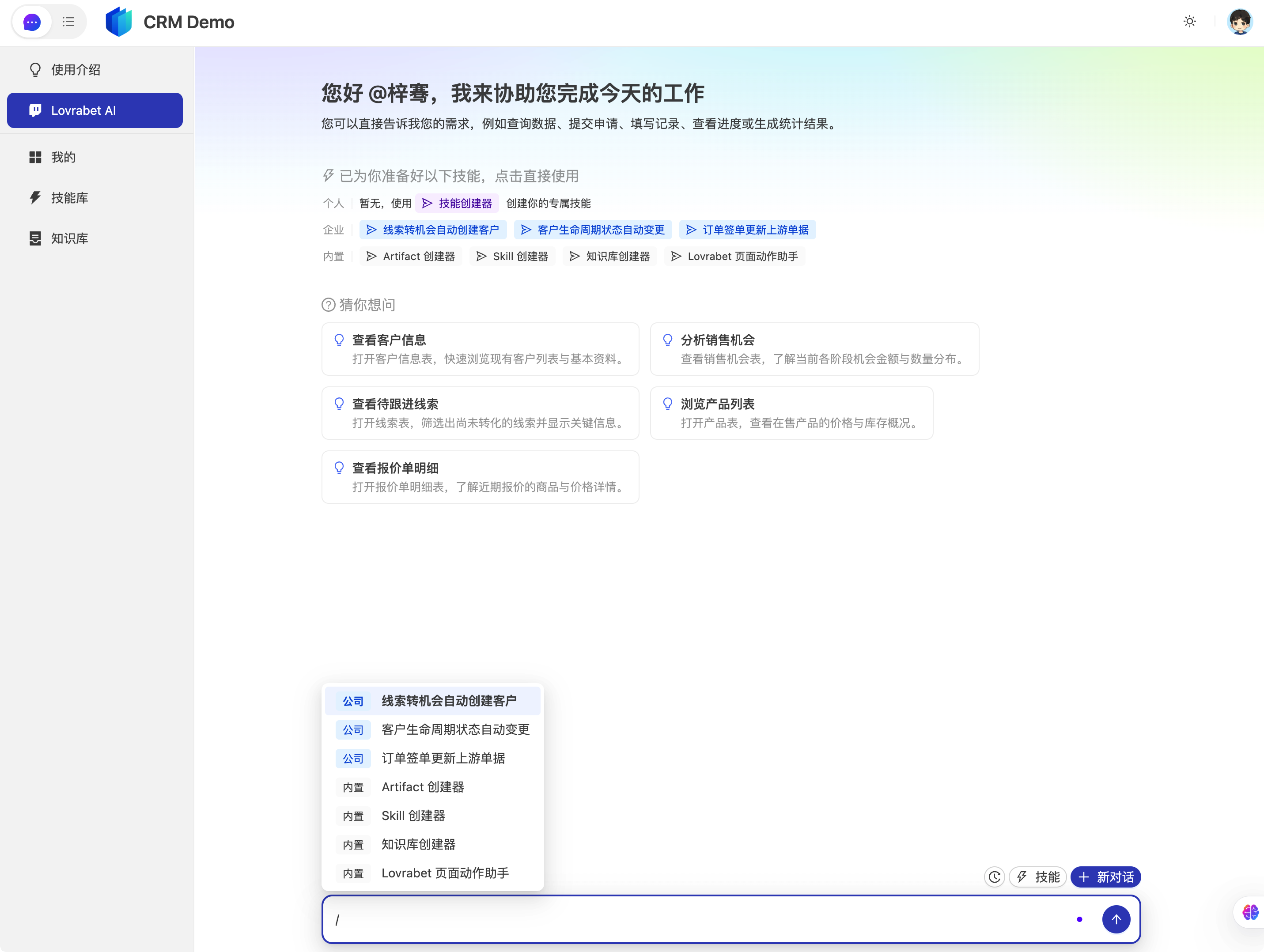
Describe the task in natural language in the input box, type "/" to bring up the Skill quick commands, and pick the Skill.
text
/order-signed-update-upstream 更新昨天最新的商机The Agent follows the steps in the Skill body to call tools and produce output. For anything involving write-backs, the Skill's "Prohibitions / Requires confirmation" section is authoritative.
Option 2: One-click a Skill from the Skill list
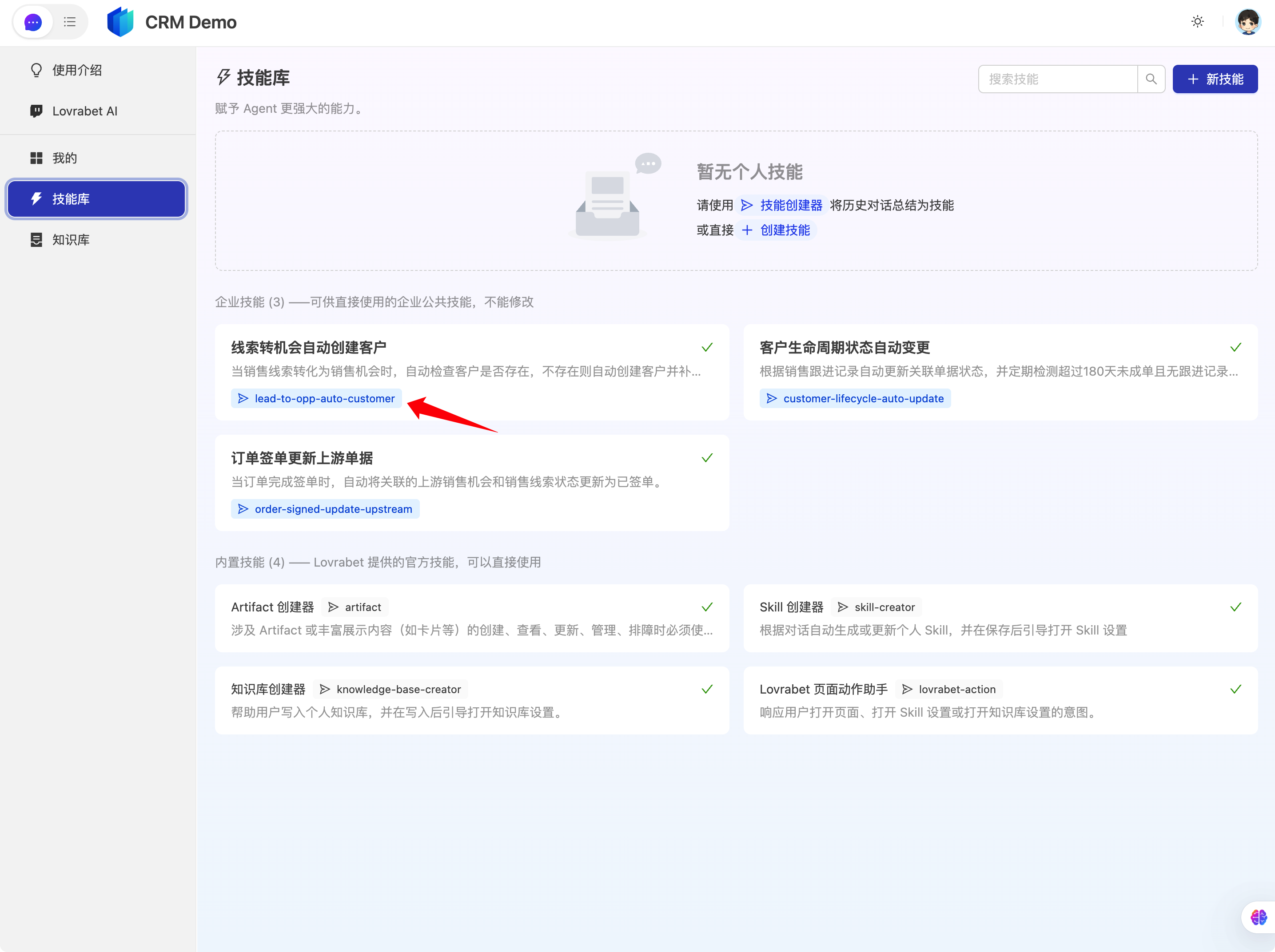
- Open the Skill Library and browse the Skill list
- Click a Skill code to use it in one click
FAQ
What if there's no suitable Skill?
Run it once in a normal chat first. If the flow is reusable, see Turn your experience into a Skill.
Can I reference multiple Skills at once?
Reference one skillCode at a time to avoid conflicting steps. For complex flows, split them into multiple Skills or have an admin merge them into one.